Editing Account Settings
The account settings page lets you view and edit settings associated with your account.
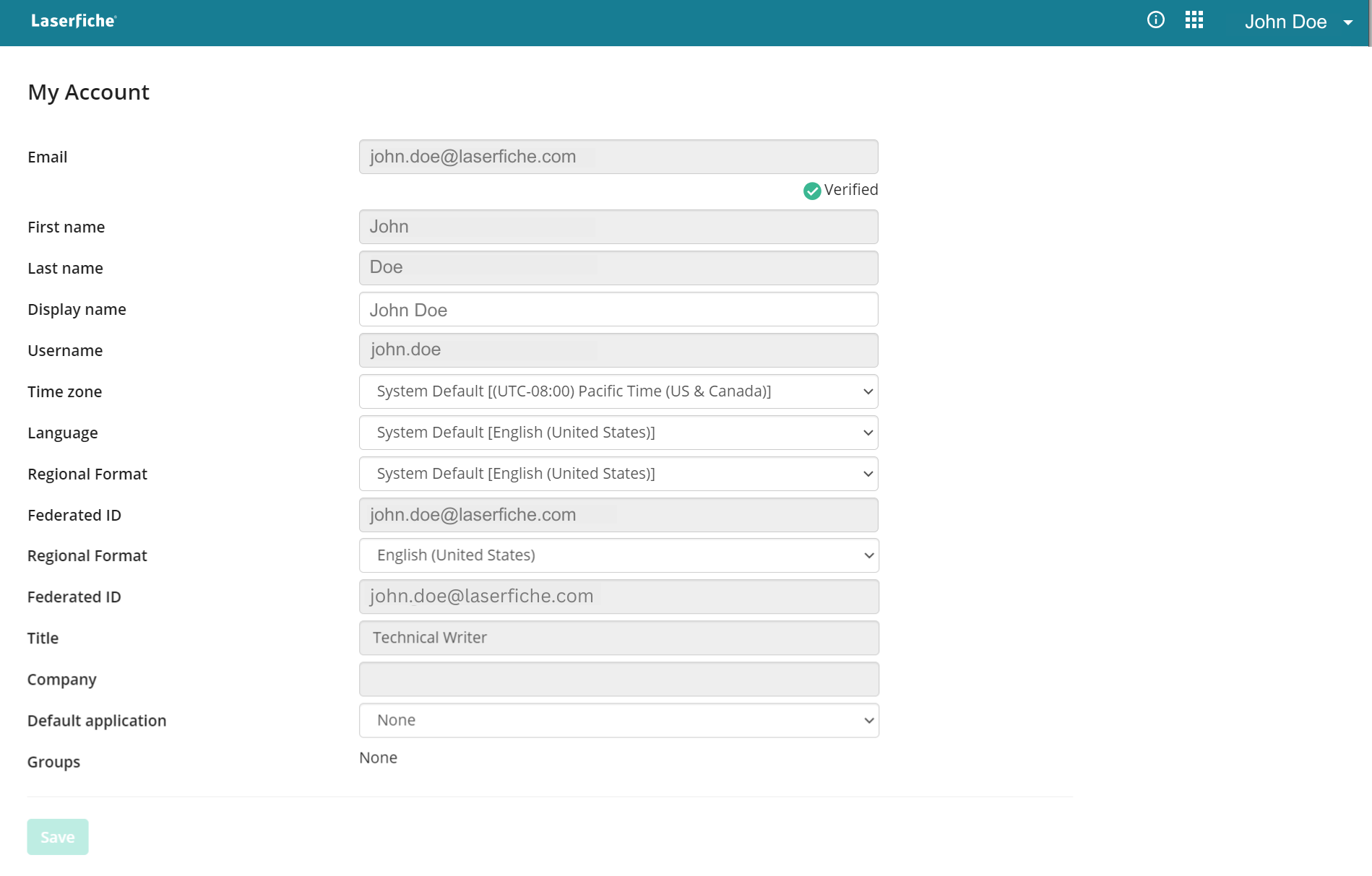
Locating and Adjusting Account Settings
1. On any Laserfiche page, click your name in the top right of the header.
2. Click My Account.
3. Make adjustments to your account settings using the editable fields.
4. Click Save.
 Changing Your Password
This video explains how to change your Laserfiche Cloud password by going to My Account from your username menu. Regularly updating your password helps keep your information secure.
Description of Account Settings
| Setting | Description | Editable |
|---|---|---|
| User's email address in the format of username@domain. | No | |
| First Name | User's first name. | No |
| Last Name | User's Last name. | No |
| Display Name | User's chosen name to display in the system. | Yes |
| Username | User's log in username. | No |
| Time Zone | User's designated timezone in UTC format. | Yes |
| Language | User's chosen language. | Yes |
| Regional Format | User's chosen regional format. | Yes |
| Federated ID | User's SSO related identification username. | No |
| Title | User's job title at their organization. | No |
| Company | User's company name. | No |
| Default Application | The application a user will be automatically redirected to when signing in to Laserfiche Cloud. | Yes |
| Groups | Groups the user is part of that assign access rights. | No |